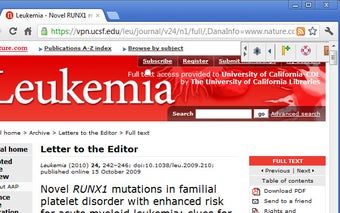
Open via UCSF Extension - Open Links Easier than Before
What is Open via UCSF?
This is a browser extension that makes it easy to open links from within your browser using the UCSF VPN Web Proxy, if you are using one. This will allow you to open links directly from your browser without having to do anything extra.
How do I install it?
To install the extension, you will first need to visit your extension store and download the package you want to install. Then, you will need to open a terminal window and install the extension.
Once the installation is complete, you will need to restart your browser for the extension to work properly. The steps for installation are shown in the video below.
You will be asked to log in to your UCSF account to continue. Then you can use the extension to open links.
How do I use it?
Once you have installed the extension, you will be able to right-click on links and select to open them via the UCSF VPN Web Proxy.
To use this feature, you will need to have your UCSF account. You will be asked to log in when the first time you open a link. You will not be asked to log in again after you have opened the link once.